

AI marketing workflows do two things well: they claw back hours from repetitive production work, and they let a small team personalize at a scale that used to require a bigger headcount. The single best first move is not buying a platform. It's mapping one repeatable process, from brief to output, and centralizing the artifact (a persona doc, a campaign brief) that feeds it every time. Everything below is from prioritized workflow examples to a five-step build method to measurement, follows from that one decision.
TL;DR:
- AI marketing workflows work best when starting with high-frequency, low-risk processes that rely on reusable, structured artifacts like briefs or persona documents.
- Building workflows such as blog repurposing, social scheduling, and automated reporting can deliver quick payoffs with minimal system integration.
- Successful implementation depends on having connected, clean data systems like CRM, ESP, and DAM, and versioning artifacts to track changes over time.
- Governance should enforce review steps, approval gates, and regular artifact updates to prevent issues like drifting outputs or unreviewed content.
- Piloting one workflow at a time and measuring outcomes such as time savings and revenue lift ensures steady progress before expanding automation across marketing processes.
Table of Contents
- What Are the Best AI Marketing Workflows to Start With?
- How Do You Design an AI Workflow That Gets Better Over Time?
- What Technology and Data Do You Need in Place?
- Copyable Templates You Can Try This Afternoon
- How Do You Measure ROI From AI Marketing Workflows?
- What Goes Wrong, and How Do You Govern These Workflows?
- How Does Cpgagent Operationalize These Workflows for CPG Teams?
- What I've Learned Running These Workflows at CPG Brands
- A Practical Way to Put This Into Action
- Sources
- FAQ
What Are the Best AI Marketing Workflows to Start With?
Not every process deserves automation. The ones worth building first are high-frequency, low-risk, and already dependent on a document or dataset you can turn into a durable input. Below are the workflows CPG and FMCG teams get the most mileage from, ranked roughly by how fast they pay off.
- Blog-to-multiformat repurposing (high impact, low lift). One long-form asset, like a product education post or a founder story, feeds an agent that outputs five or six derivative pieces: LinkedIn posts, Instagram captions, a YouTube Short script, an email blurb. You feed it the source article and a brand voice guide; it produces channel-native drafts a human edits and approves. Minimal integration needed beyond a shared drive or content calendar.
- Bulk social generation plus scheduling (high impact, low lift). Feed a content calendar template and a batch of product shots or campaign themes; the workflow produces a month of captions and hooks, then pushes them into a scheduler. Requires a scheduling tool with an API and a DAM connection so the agent can pull approved imagery.
- Personalized email sequences and segmentation (high impact, medium lift). Feed customer segment definitions and past purchase data; the agent drafts subject lines, body copy, and send-time logic per segment. This needs a real connection to your ESP and a clean customer data layer, or the personalization is cosmetic.
- Ad-copy variations and creative briefs (medium impact, low lift). One creative brief becomes a dozen headline and body variants for testing across Meta, TikTok, or retail media. The artifact here is the brief itself, reused for every flight.
- Automated performance reporting and insights (high impact, low lift). Connect analytics exports and media spend data; the agent generates a weekly narrative summary instead of a raw dashboard dump. This is often the easiest win because the inputs are already structured.
- AI-powered lead scoring (medium impact, medium lift). For CPG brands running trade or B2B wholesale motions, an agent scores inbound leads against firmographic and behavioral signals fed from the CRM. Needs clean CRM fields and a scoring rubric someone actually reviews.
- Campaign QA and validation (high impact, low lift). Before anything ships, an agent checks copy against brand guidelines, claims substantiation, and legal flags. Feed it the brand style guide and a claims library; it produces a pass/fail with flagged lines.
- Multilingual and localization pipelines (medium impact, medium lift). One English asset becomes market-ready copy in several languages, with a human linguist reviewing rather than translating from scratch. Requires a translation memory or glossary artifact to keep terminology consistent.
- Post-purchase and win-back automation (high impact, medium lift). Commerce events (a purchase, a lapsed subscription) trigger sequences tailored to product category and purchase history. Practitioners in e-commerce consistently find these behavior-triggered flows outperform broad newsletter blasts, because they're anchored to a real signal rather than a calendar date.
- Product listing creation plus social promotion (medium impact, low lift). Feed SKU data and a product brief; the agent drafts retail listing copy and a matching social promotion post in the same pass, keeping tone consistent across channels.
The pattern across all ten: every workflow needs an artifact (a brief, a persona, a claims library) as its input, and every one produces something a human reviews before it goes live. The AI does the drafting, not the deciding.
How Do You Design an AI Workflow That Gets Better Over Time?
Most teams that try AI marketing automation start with a single prompt and stop there. That's the wrong unit of work. McKinsey's research on agentic orchestration describes a model where one human supervises a network of specialized agents, each handling a discrete task, and recommends a five-step process for building these workflows. Here's a practical version of that method:
- Map the current process. Write down every step a human takes today, from brief to publish, including the approvals nobody talks about.
- Identify reusable artifacts. Which documents get referenced over and over? A persona profile, a brand voice guide, a claims library. These become the persistent inputs your agents read from instead of starting cold each time.
- Classify agent archetypes. Decide which steps need a drafting agent, a research agent, a QA agent, and which stay human only (final approval, legal sign-off).
- Confirm integrations and data readiness. Check whether the systems the workflow touches (CRM, ESP, DAM) actually expose the data the agent needs, before you build anything.
- Define oversight and rollout. Decide who reviews outputs, at what cadence, and what "good enough to ship" looks like before you turn the workflow loose on real campaigns.
The artifact piece matters more than it sounds. A canvas-style workflow that stores campaign research, audience definitions, and messaging strategy outside a disposable chat thread lets an agent pick up exactly where the last run left off. Without that, every campaign starts from zero and nothing compounds.
Before greenlighting a candidate workflow, run it through a short checklist: How often does this run (weekly beats quarterly for automation ROI)? What's the blast radius if it's wrong? Is the underlying data actually clean enough to trust?
Pro Tip: Version your artifacts the way engineers version code. Keep a dated history of your persona docs and campaign briefs, and note what changed between versions. When an agent's output drifts, you'll know whether the model changed or the input did.
What Technology and Data Do You Need in Place?
Agentic workflows are only as good as the systems feeding them. Before chasing the newest agent tool, confirm the boring infrastructure is actually connected.
- CRM. Holds customer and lead records; without clean fields, lead scoring and segmentation workflows produce noise, not insight.
- ESP (email service provider). Needs an API connection so personalized sequences can actually send, not just get drafted.
- DAM (digital asset management). Gives agents access to approved imagery and brand assets instead of forcing them to generate or guess.
- Analytics and commerce event data. Feeds reporting and post-purchase automation; this is where purchase triggers and revenue attribution live.
- Integration layer. Webhooks, APIs, and canvas or MCP-style connectors are what let one agent's output become another agent's input without manual copy-paste.
Data hygiene is the less glamorous half of this. Canonical customer IDs, consent flags, timestamped events, and clean SKU mapping all need to exist before an agent can act on them reliably. Skip this step and you'll get a workflow that looks impressive in a demo and falls apart on real data.
Practitioner experience across marketing teams suggests interoperability, not model capability, is usually the actual bottleneck in scaling these systems. A brand doesn't need the most advanced agent on the market; it needs its CRM and ESP actually talking to each other. That's also the architectural investment that pays off longest: a central identity layer and consistent content metadata make every future workflow cheaper to build, because the integration work is already done. Tools like Cpgagent's platform are built specifically to sit on top of that kind of stack rather than replace it.
Copyable Templates You Can Try This Afternoon
You don't need a formal rollout plan to test the concept. Here are four templates built for a single pilot run.
- Campaign brief artifact. Include: objective, target segment, key claim or offer, three mandatory brand voice rules, competitive reference, and success metric. Feed this whole document to an agent as context, not just a one-line prompt, so every output it generates traces back to the same source.
- Email sequence prompt. Structure it with roles: "You are drafting for [segment]. Reference [past purchase behavior]. Output three subject lines and one body draft. Flag any claim that needs legal review." Build in an approval gate before anything sends.
- Social batch generation and repurposing pipeline. Feed one source asset plus a list of five target formats. Ask for platform-native drafts, not one generic post reformatted five ways. Reuse the same brief across weeks so tone doesn't drift.
- Weekly report-summary prompt. Feed raw analytics exports and ask for a three-paragraph narrative: what moved, why it likely moved, and one recommended action. This alone often justifies the time spent setting up the reporting connection.
How Do You Measure ROI From AI Marketing Workflows?
Track outcomes that tie back to time and revenue, not vanity output counts. The core metrics: time saved per workflow run, revenue per recipient (RPR) on automated email sequences, conversion lift versus a manual baseline, cost per acquisition, and cycle time from brief to publish.
- Run a holdout: keep one cohort on the old manual process and one on the automated workflow, then compare RPR and conversion over a full campaign cycle, not just a few days.
- Size the holdout large enough that a normal week-to-week swing wouldn't explain the difference. If you're not sure what's normal for your list, run two baseline weeks first.
- Feed real outcomes (opens, clicks, purchases) back into the artifact that generated the campaign, so the next run starts smarter than the last.
Statistic Callout: Industry research on agentic orchestration points to measurable productivity gains when marketing teams shift from ad hoc AI prompts to structured, agent-based workflows, because the same artifacts and integrations get reused across campaigns instead of rebuilt each time.
What Goes Wrong, and How Do You Govern These Workflows?
The most common failure isn't a bad output. It's an unreviewed one. Agents drift, brand guidelines get misapplied, and claims that need legal review slip through when nobody's assigned to catch them.
- Failure mode: stale artifacts. A persona doc from eighteen months ago quietly biases every output downstream. Fix by reviewing artifacts on a fixed schedule, not "whenever someone remembers."
- Failure mode: no approval gate. Content ships straight from agent to channel. Fix with a mandatory human review step, at minimum for anything customer-facing.
- Failure mode: vendor overpromise. Gartner found that 45% of martech leaders say vendor-offered AI agents fail to meet the business performance they were promised. Fix by piloting on a low-risk workflow before betting a campaign on a new tool.
Governance basics: define who prompts, who reviews, and who owns the KPI at the end of the chain, before the workflow goes live, not after something goes wrong. Keep an audit log of what an agent generated and who approved it.
Pro Tip: Roll out new workflows in stages, starting with the most conservative default rules (require approval on everything), then loosen restrictions only after a few clean cycles prove the workflow behaves predictably.

How Does Cpgagent Operationalize These Workflows for CPG Teams?
The workflows above map directly onto tools built for this category. Specialized tools produce persistent persona artifacts that feed email personalization and ad-copy workflows, while other tools handle campaign QA and validation steps before product launches. Both integrate into an existing tech stack rather than asking a brand to rip one out.
Deployment for a single workflow, like automated reporting or a batch social pipeline, typically starts with connecting existing systems rather than building anything from scratch, which shortens time to a first usable output. Case studies and specific client results will be added here as they become available.
What I've Learned Running These Workflows at CPG Brands
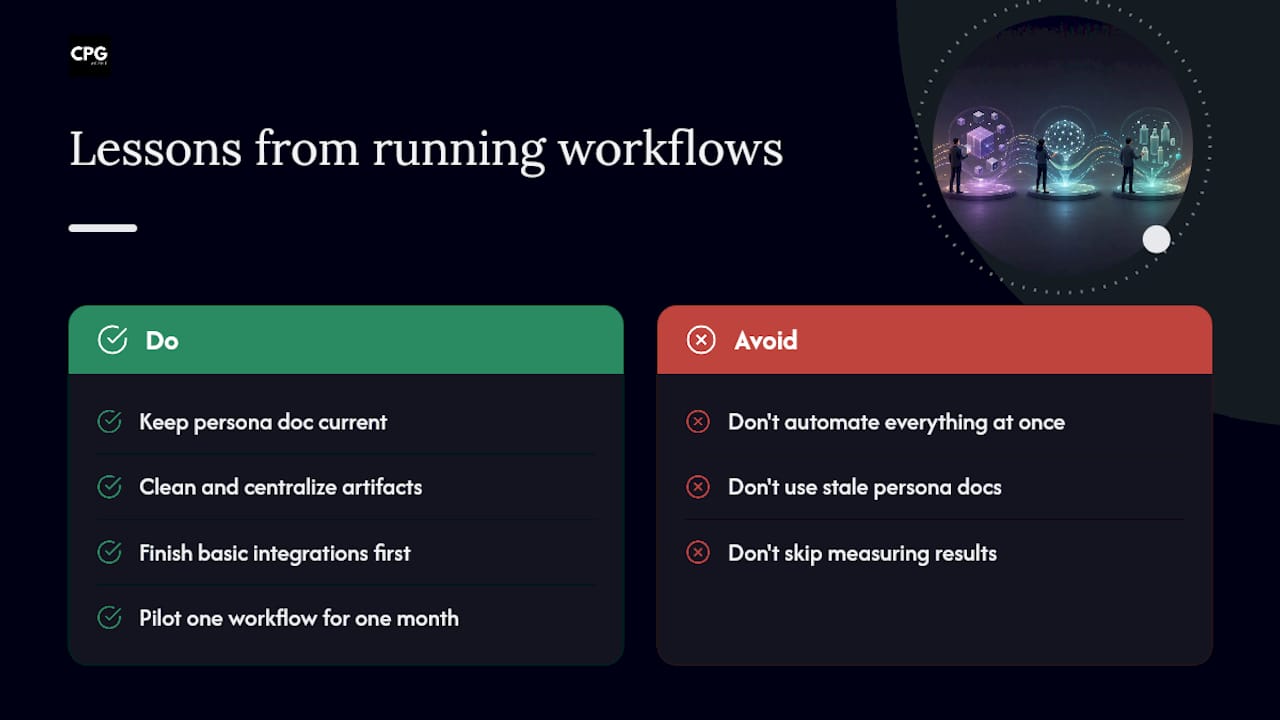
The teams that get the most out of AI marketing automation aren't the ones with the fanciest agent stack. They're the ones with the cleanest artifact and the most boring integration work already done. A persona doc that's actually current beats a more sophisticated model reading from a stale one, every time.
Gartner's finding that 65% of CMOs expect AI to dramatically change their role within two years tells you the shift is coming whether or not your team is ready. The honest recommendation: don't try to automate everything at once. Pick one workflow, likely reporting or social batching, run it for a month, and measure it against the process it replaced before you touch anything else.
— Matthew
A Practical Way to Put This Into Action
There are plenty of ways to piece together an AI marketing stack: stitch together point tools yourself, hire a full-service agency, or bolt a general-purpose AI assistant onto your existing process. Each comes with a tradeoff, usually either heavy setup time or ongoing agency overhead that eats into margin. There are platforms built specifically for CPG and FMCG teams offering AI-driven tools, paired with fractional CMO and growth advisory support, without the long discovery phases traditional agencies run on.
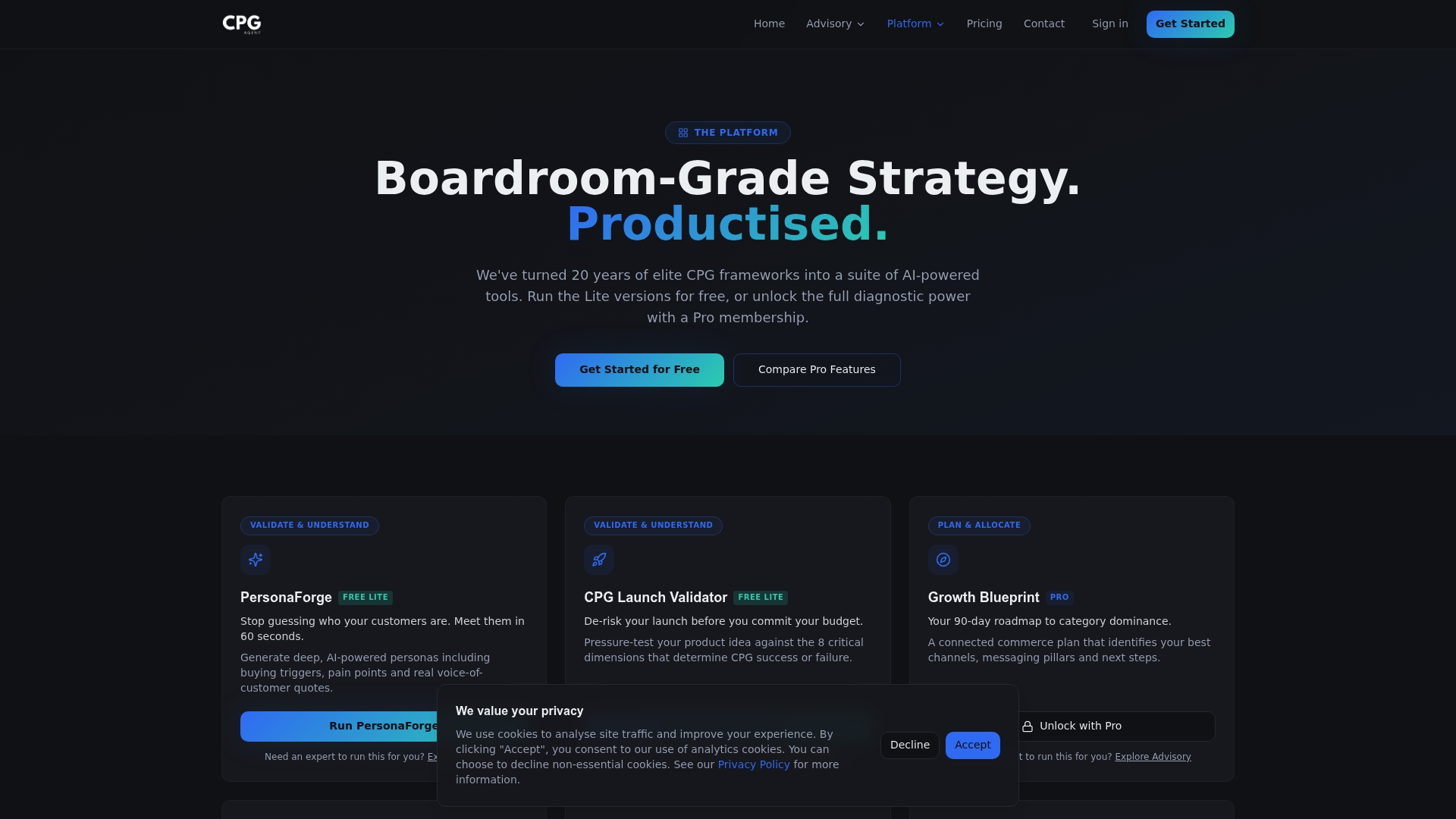
Some platforms are built to integrate with existing CRM, ESP, and DAM connections, so workflows like persona-driven personalization, campaign validation, and automated reporting don't require a system overhaul to get running. That integration-first approach is what shortens time to a working pilot instead of a months-long rebuild. If you're ready to map your first workflow and see how it fits your stack, visit the Cpgagent platform to get started.
Sources
- Reinventing marketing workflows with agentic AI | McKinsey
- Agentic orchestration: the marketing workflow revolution | Bloomreach
- Gartner press release: vendor AI agents often fail to meet expectations
FAQ
What Are Some Examples of AI Marketing Workflows?
Common examples include blog-to-social repurposing, bulk social scheduling, personalized email sequences, automated ad-copy variation, weekly performance reporting, and post-purchase win-back sequences triggered by commerce events.
Is There an AI Tool for Marketing?
Yes. CPG-specific platforms like Cpgagent offer tools such as PersonaForge for audience research and Launch Validator for product testing, alongside general-purpose AI assistants used for drafting and reporting.
How Can AI Automate Marketing Tasks?
AI automates marketing by taking a structured input, like a brief or persona document, and generating drafts, reports, or segmented content that a human then reviews and approves before it ships.
What Are Some Examples of AI Used in Marketing?
Beyond content generation, AI is used for lead scoring, campaign QA against brand and legal guidelines, localization pipelines for multilingual markets, and behavior-triggered automation tied to purchase events.
How Do You Know If a Workflow Is Ready to Automate?
A workflow is a good candidate when it runs frequently, relies on a document you can turn into a reusable artifact, and carries low enough risk that an early mistake won't damage the brand.